What Is a Virtual VoIP Phone System?
A virtual VoIP phone system is a modern cloud-based telephone solution that replaces traditional on-premise PBX systems requiring physical equipment installation within a company.
Unlike a traditional phone system, it does not require servers, specialized infrastructure, or expensive hardware maintenance. All settings can be managed online, and employees can use business telephony through office phones, mobile applications, or computers.
Unlike a traditional phone system, it does not require servers, specialized infrastructure, or expensive hardware maintenance. All settings can be managed online, and employees can use business telephony through office phones, mobile applications, or computers.

With VoIP technology, your company can:
handle multiple calls simultaneously,
create professional voice menus,
route customers to the appropriate departments,
record conversations,
support remote work,
integrate telephony with other business systems.

Virtual VoIP Phone System for Your Business
The PLFON virtual phone system allows you to create a professional call management solution tailored to your organization’s size and needs.
Whether you run a small business, an online store, a medical facility, or an advanced contact center, you can easily scale the solution as your business grows.
Whether you run a small business, an online store, a medical facility, or an advanced contact center, you can easily scale the solution as your business grows.
How Does a Virtual Phone System Differ from Traditional Solutions?
A traditional PBX system requires hardware purchases, installation, and regular administration. A virtual VoIP phone system works as an internet-based service.
Traditional PBX
- Hardware purchase
- Local installation
- Limited scalability
- Expensive maintenance
Virtual VoIP PBX
- No investment in physical PBX equipment
- Online configuration
- Easy user expansion
- Management through a web panel
Modern Business Telephony – Features That Improve Efficiency
IVR – Automatically Direct Customers to the Right Department
An interactive voice menu allows customers to quickly reach the right consultant.
Example:
“Press 1 for Sales, press 2 for Technical Support.”
With IVR, companies reduce unnecessary call transfers and improve customer service quality.
Example:
“Press 1 for Sales, press 2 for Technical Support.”
With IVR, companies reduce unnecessary call transfers and improve customer service quality.
Call Recording and Quality Control
Call recording helps:
- analyze service quality,
- train employees,
- protect agreements made with customers.

Mobile Application and Remote Work
A virtual phone system application allows employees to use company telephony regardless of their location.
A mobile phone, laptop, or computer can function as a business phone workstation.
A mobile phone, laptop, or computer can function as a business phone workstation.

Virtual Call Center for Businesses
A virtual VoIP phone system can serve as a complete telecommunications solution.
It is especially suitable for:
It is especially suitable for:
E-commerce
order support,
sales hotlines,
fast customer call routing.
order support,
sales hotlines,
fast customer call routing.
Medical Facilities
patient registration,
call queues,
automated messages.
patient registration,
call queues,
automated messages.
Logistics and Transport
customer and contractor hotlines,
handling shipment and delivery inquiries,
fast call forwarding.
customer and contractor hotlines,
handling shipment and delivery inquiries,
fast call forwarding.
Integrations with CRM and Business Systems
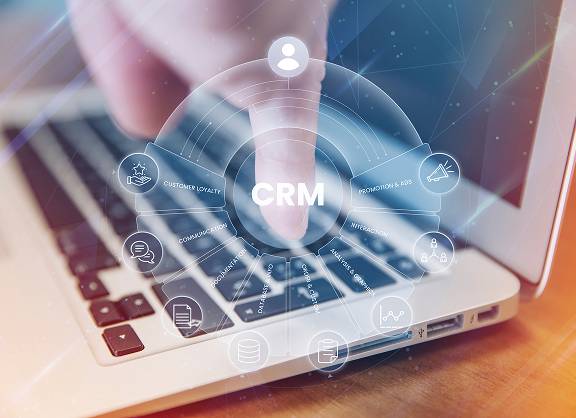
Telephony does not have to operate separately.
A virtual phone system can integrate with business tools such as:
- CRM systems,
- call center platforms,
- team communication tools.
Integration allows companies to serve customers faster and keep all important information in one place.
Virtual Phone System Implementation – How Does Migration Worka?
Concerns about changing phone numbers and service interruptions are among the most common reasons companies postpone implementation.
PThe migration process can be completed in three simple steps:
PThe migration process can be completed in three simple steps:
1
Choosing the Solution and Numbering
We select the right package, number of users, and phone system configuration.
Choosing the Solution and Numbering
We select the right package, number of users, and phone system configuration.
2
Transferring Your Existing Number
You can keep your current phone number and transfer it to PLFON without having to inform customers about any changes.
Transferring Your Existing Number
You can keep your current phone number and transfer it to PLFON without having to inform customers about any changes.
3
Configuring Users and Devices
We configure user accounts, applications, and employee devices.
Configuring Users and Devices
We configure user accounts, applications, and employee devices.
Result?
Your company gains access to modern business telephony without a complicated migration process.
Your company gains access to modern business telephony without a complicated migration process.
How Much Does a Virtual Phone System Cost?
The cost depends on the number of users and the range of available features.
Pricing models may include:
- monthly subscription,
- per-user fees,
- minute packages.
At PLFON, the subscription for a virtual phone system starts from 17.40 PLN net per month.
Why Do Companies Choose PLFON?
- HD-quality telephony,
- flexible scalability,
- no need for expensive infrastructure,
- online management,
- features suitable for both small businesses and large organizations,
- domestic and international phone numbering options.
PLFON highlights key elements of its offering, including service stability, flexibility, IVR functionality, call queues, and call recording.